
How does it work?
Register
Create your Game On! fundraising page.
Set up your steam
Create your account in Twitch and add a link to your Fundraising page.
Raise smiles
Every penny you give or raise directly helps babies, children, young people and their families.
How gaming and streaming helps to support families
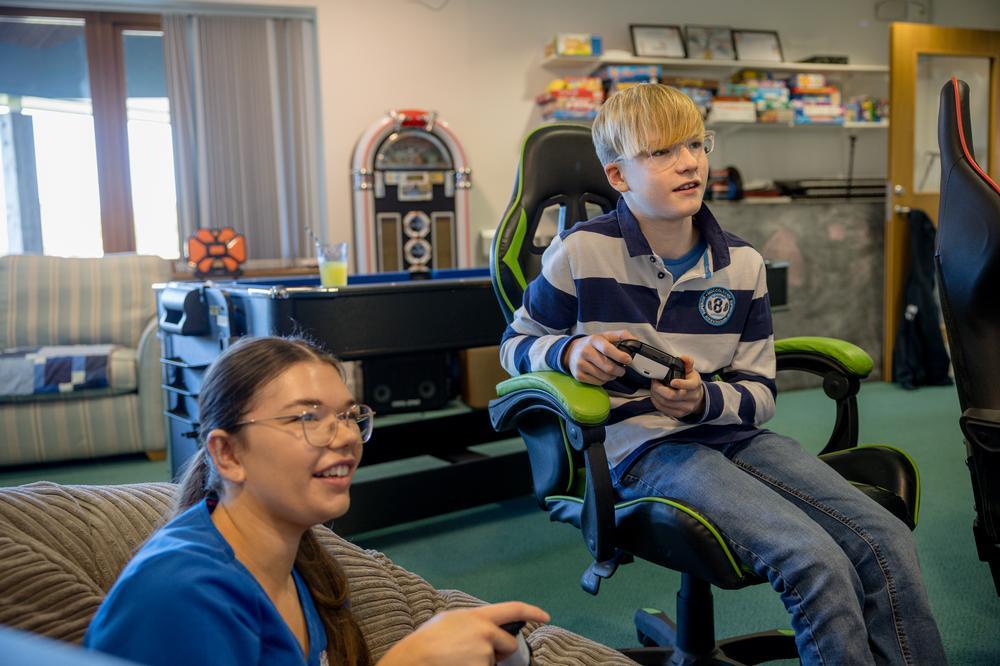
Children’s Hospice South West is all about families and friends spending time together and making memories and for some of our children.
Gaming connects them to a community where, instead of any limitations, they can explore new worlds with friends, have fun and experience adventure!
Are you ready to be part of Game On! for CHSW?
FAQ
How do I set up a livestream?
The most popular platform to live stream your gaming is through Twitch.
What is streaming fundraising?
Streaming online doesn’t have to involve gaming.
It could be an interactive lesson such as painting, knitting or baking, or a GoPro’s perspective of a sponsored challenge.
These are all fantastic ways to join our community and raise money to support the work we do.
How do I join the CHSW Discord?
Join our Discord here.
Fundraising ideas
Need a little inspiration? We’ve got you!
Play against the clock
People could donate to enter their guess for how quickly you can complete a challenge or what final score you will achieve after a set time. The winner with the closest guess can then get a prize.
Workplace gaming
Get your boss involved so that everyone can take a quick break from work and play for charity. This could also tie in well with a leader board and a set challenge, such as fastest completion time, with a prize for the winner.
Retro gaming
Dig out your old consoles and charge people to have a go playing classics from their childhood.
Hold a gaming tournament
Everyone can get involved in a tournament, even first time gamers, so get a group of friends or colleagues together and charge a small donation to enter.
Livestream gaming marathon
Hosting a live stream gaming marathon can attract a whole new audience and can potentially have a worldwide reach. Do this on your own, or in a team, and see how long you can play games continuously.
Livestream gaming challenges
These could include: how-to gaming sessions, giving players hints and tips on how to complete games or reach new records, all for kind donations; racing against the clock; knockout tournaments with online entrants or live challenges provided by viewers or competing gamers.
Top tips
Streaming wellbeing and safety
- Take regular breaks – make sure you get up, stretch, and walk around for at least a few minutes every hour
- Planning – make sure you’ve planned your activity in advance and considered any risks to yourself or others. If you are delivering a workshop, do you have everything you need?
- Listen to your body – if you are livestreaming a physical activity, consider if you are confident in what you can do? Have you trained?
- Practice – if you will be delivering an interactive lesson or workshop, have you got everything exactly as you want it and have you ironed out any tricky parts?
- Keep hydrated and have snacks – make sure you have plenty of drinks and supplies to keep you going whatever the activity
- Look after your eyes – give your eyes a break away from the screen, at least for a few minutes every hour
- If you’re not feeling well, stop the stream – even if you’ve committed to more hours, stop the stream and look after yourself
- Support – get friends involved to support you and cheer you on - make sure someone knows what you are doing if you're heading out on an adventure
- Comfort while gaming – make sure you’re not in an awkward or uncomfortable seating position and that you’ve set up for a long gaming session with things such as desk height and monitor position.
Online safety
- No one under 18 is allowed to livestream for CHSW, unless with parental supervision and in accordance with any age restrictions on streamed content and streaming platform use
- If you’ve chosen a game with an age restriction or expect your stream to have any content that would be rated above PG, including swearing, you need to make sure you mark your stream age appropriately on Twitch (or the streaming platform you’re using)
- Make sure you are happy with how to manage your audience if livestreaming. Know how to block and report audience members to your streaming platform, and how to manage your chat section and comments
- Always follow the standards of conduct for the platform you are using and pay particular attention to how and where you can report if someone hosting or watching a stream behaves in a way you are unhappy with. This can include if you feel a child is at risk of harm (if at an immediate risk, call 999 in the first instance) or if you see abusive behaviour or inappropriate content for the stream. If you have serious concerns about an adult’s behaviour towards a child, please use the police CEOP reporting tool
- Personal information should never be given out online, unless given by an adult with full consent as to the purpose of the information being shared and in a secure manner
- You can report inappropriate PEGI ratings for games with the video standards council
-
You should also be mindful that you don’t feel compelled to keep playing over other activities, or at detriment to yourself. The World Health Organisation has recently recognised gaming disorder as a medical issue. Although not common, this is something to be mindful of. If you are concerned you can find more information and support on the NHS website
More information